



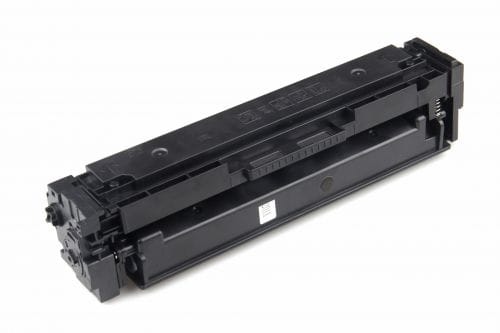
Not everyone wants to buy the cheapest ink cartridge on the shelf for their printers. Nonetheless, you do it anyway, especially when your printer runs out of ink and you need the machine to keep working. Besides, original ones are usually quite expensive and may not always be available, unlike cheap ink cartridges in Shoreham. It is a common situation faced by small businesses, regular home users, and students. Thankfully, a budget-friendly cartridge can perform well if used correctly.
What is the trick? It is not just about purchasing cheaper ink, but using it smartly. As long as you adopt the right habits, you can extend cartridge life while maintaining print quality.
Why Cheap Cartridges Run Out of Ink Faster Than Branded Products
It is not that inexpensive cartridges are manufactured poorly every time. They contain less ink than the original versions. Some products are also more sensitive to storage conditions and usage patterns. Naturally, if you handle the cartridge poorly, you reduce its lifespan and print quality quickly.
Actually, most of the problems faced by users are not due to the cartridge but to how it is used. Making a few minor adjustments in printing is enough to achieve a noticeable difference in performance and output quality.
Changing the Settings
An easy way to extend the life of cheap ink cartridges in Horsham is to adjust the printer’s settings. Folks often print in high-quality mode, which is the default setting, without thinking about it. This setting consumes more ink than necessary.
If you switch to draft mode or eco mode, you will get relatively good results. Of course, the lines will not be crisp, but they will definitely be clear and readable enough. As long as you do not require presentation-level quality, this setting will increase the life of your cartridges.
Refrain from Colour Printing
Unlike black ink, coloured ink drains much faster. Also, most documents do not need colour printing. To that end, set your printer to grayscale or black-and-white mode to prevent unnecessary use of colour cartridges and balance ink levels.
Make it a habit, and you will see how it significantly improves cartridge efficiency and lifespan.
Batch-Printing Over One Page at a Time
Did you know that frequent start-stop printing uses more ink during cleaning cycles? Modern printers run automatic maintenance when repeatedly turned on. Instead, try printing several documents at once.
This approach reduces the number of cleaning cycles, ensuring the ink is used for printing rather than for system maintenance.
How to Store and Handle Cartridges Properly
Ink cartridges are sensitive to many factors, especially temperature and air exposure. If you do not use them correctly, they will dry out or clog. Make sure to keep spare cartridges sealed until you need them.
If you do not use your printer regularly, keep it operational by printing one page every few days. In doing so, you will keep ink flowing and prevent nozzle blockages, which are common issues with low-cost cartridges.
Do Not Leave the Printer Idle for Long
Not using the printer will cause the ink in the nozzles to dry out, leaving streaks and blurry lines on the paper. Printing a test page once a week should stop it.
The Importance of Cleaning and Maintenance: They Matter More Than You Think
Most users do not pay enough attention to printer maintenance. What they do not realise is that it plays a significant role in cartridge life. Running the printer’s built-in cleaning cycle occasionally helps maintain print quality. Just make sure you do not overclean the printer, as it also uses ink.
Keep your approach balanced by cleaning the printer only when the printouts are faded or the lines are blocked.
Confirm Cartridge Compatibility
Not all pocket-friendly cartridges are worth buying. Low-quality or poorly made products can cause leakage or clogging, reducing the cartridge’s lifespan and affecting print quality. One must buy only reliable cartridges, even if they are budget-friendly, for more consistent printing and fewer problems.
Quality should be above everything else, even in budget printing. After all, a slightly better cartridge lasts longer than the cheapest possible option.
The Takeaway
Cheap ink cartridges in Horsham can work surprisingly well when handled correctly. The solution is to avoid overusing them. Do not waste ink due to poor settings, and never ignore basic maintenance.
Adjust print settings, manage colour use, print in batches, and maintain the printer properly. That is all you need to do to extend cartridge life without losing print quality and clarity. The right approach is the key to making budget ink deliver clean results, if not professional.